Krunker.io Beginners Guide: Classes, Settings, Movement
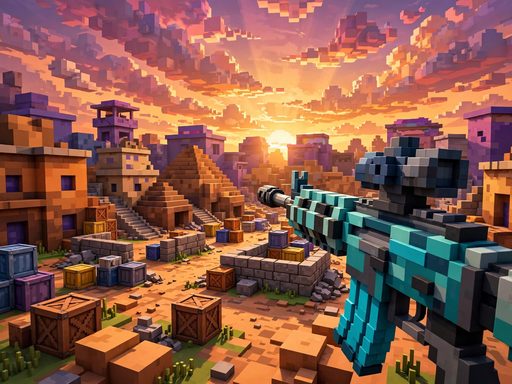
Krunker.io is the benchmark browser FPS: fast movement, one-shot-capable weapons, and a skill gap so wide that a beginner can lose every duel for a week straight. The good news is that Krunker rewards fundamentals more than aim alone — pick the right class, set up your settings, and learn the movement, and you will stop being free kills within days. This beginner's guide covers all three pillars. And if you want to warm up your FPS reflexes right now, you can jump into similar browser shooters free on Playvizo, like COD Duty Call FPS or Command Strike FPS 2.
How Krunker.io Works
Krunker is a free browser first-person shooter with blocky voxel graphics that runs on almost anything — including school Chromebooks. Matches are fast, respawns are instant, and most fights are decided in under two seconds. The game has multiple classes (each with a unique weapon and health pool), several game modes (Free for All, Team Deathmatch, Capture the Flag, and more), and a huge community map pool.
What makes Krunker different from slower shooters is that movement is a weapon. Sliding, bunny-hopping, and wall-jumping let you dodge shots that would hit a standing player every time. Aim matters, but a beginner with great movement beats a beginner with great aim.
Classes: Which One Should a Beginner Pick?
Each class has different health, speed, and a signature weapon. Here is the beginner-friendly read:
Triggerman — the best starter class
The Triggerman is the all-rounder: an assault rifle with solid damage, medium health, and forgiving handling. If you only learn one class, learn this one. The rifle teaches you the two core skills — tracking moving targets and burst-firing — that transfer to every other weapon.
Hunter — for patient aimers
The Hunter carries a sniper rifle that can one-shot most classes. The trade-off is low health and a punishing miss penalty. Pick Hunter only if you already have FPS aim from other games; otherwise the Triggerman will teach you faster.
Run 'n' Gun — for aggressive players
An SMG with a huge magazine and fast movement, but low damage per bullet. Great for learning to stay mobile and win close-range fights, terrible if you stand still and try to out-aim rifles at range.
Sprayer, Detective, and the rest
The remaining classes (shotgun-style Sprayer, revolver Detective, and others) are specialists. They are fun, but each demands a specific playstyle. Master the Triggerman first — understanding range, cover, and positioning — then branch out. That progression mirrors how players grow in similar browser FPS titles too, like FPS Shooter 3D City Wars, where learning one weapon deeply beats dabbling in five.
Settings: The Free Performance Upgrade
Before you blame your aim, fix your setup. Krunker is extremely sensitive to frame rate and input lag, and the default settings are not optimized:
- Lower your graphics: turn shadows, particles, and anti-aliasing down or off. A stable 60+ FPS matters more than pretty pixels — most competitive players run near-minimum settings.
- Sensitivity: start around the middle and adjust until you can do a 180° turn comfortably without lifting your mouse. Too high and you overshoot; too low and you cannot track fast movers.
- Scope sensitivity: set it separately so scoped aim feels the same speed as hip-fire. This is the single most overlooked setting by beginners.
- Crosshair: use a small, high-contrast crosshair you can see against every map color. Green or cyan works on most Krunker maps.
- Close background tabs: Krunker runs in a browser, so every other tab eats the CPU and RAM your frames need. One game tab, nothing else.
Movement: Slide, Hop, and Never Stand Still
This is the section that will improve your results the most. Krunker movement has three core techniques:
1. Sliding
Sprint, then crouch to slide — you keep your speed while becoming a smaller, harder-to-hit target, and you can shoot while sliding. Slide around corners instead of walking into them: you will see the enemy before they can adjust their aim to your new position.
2. Bunny-hopping
Jump repeatedly while holding forward to maintain momentum between hops. A hopping target is dramatically harder to hit than a running one, and chaining hops across open ground is the fastest way to rotate between points.
3. Strafe-jumping around cover
Never peek the same angle twice. Jump-strafe out, take your shot, and slide back — unpredictable peeks make you nearly unhittable for players who pre-aim corners. Combine this with sound: listen for footsteps to time your peeks.
Movement skill transfers across every browser shooter. Practicing slides and strafes in Command Strike FPS 2 will make your Krunker movement sharper, because the muscle memory — keep moving, use cover, re-peek from new angles — is universal.
Beginner Game Plan: Your First 10 Matches
- Matches 1–3: play Triggerman, ignore your score, learn one map's layout — where the sightlines are and where fights happen.
- Matches 4–6: practice sliding around every corner and bunny-hopping across open areas. Dying while moving is better than surviving while standing still.
- Matches 7–8: tune your sensitivity and crosshair between matches until aiming feels invisible — you think about targets, not your mouse.
- Matches 9–10: start playing the objective and watching better players: where do they position, when do they push, when do they retreat?
Common Beginner Mistakes
- Standing still to aim: a stationary player is a free kill. Shoot while strafing, sliding, or hopping — always.
- Reloading in the open: break line of sight before you reload; the animation locks you into a death sentence.
- Chasing kills into traps: a low-health enemy running around a corner is often baiting you into their teammate's crosshair.
- Ignoring sound: footsteps and reload sounds tell you where fights are. Play with sound on, even at low volume.
- Switching classes every death: pick one class for a whole session. Consistency builds the instincts that switching destroys.
Krunker has one of the steepest — and most rewarding — learning curves in browser gaming. Put in the reps on movement and settings, and within a couple of weeks you will be the player beginners complain about. And on days you just want instant action without the learning curve, COD Duty Call FPS and FPS Shooter 3D City Wars are free in your browser with no download.
Frequently Asked Questions
What is the best class for beginners in Krunker.io?
The Triggerman. Its assault rifle is forgiving, its stats are balanced, and it teaches tracking and positioning — the fundamentals that transfer to every other class.
How do you slide in Krunker.io?
Sprint and press the crouch key to slide. You keep your momentum, present a smaller target, and can shoot while sliding — use it to round corners and dodge fire.
Why is my aim bad in Krunker.io?
Usually it is settings, not talent: low frame rate, wrong sensitivity, or a bad crosshair. Lower graphics for stable 60+ FPS, tune sensitivity until 180° turns feel natural, and close background tabs to cut input lag.
Can you play Krunker.io on a Chromebook?
Yes — Krunker is designed to run in a browser on low-end hardware. Use minimum graphics settings and close other tabs for the smoothest experience.
Where can I practice browser FPS skills for free?
Similar free browser shooters like Command Strike FPS 2 and COD Duty Call FPS run with no download on Playvizo — good warm-up arenas for movement and aim fundamentals.